IN-8004

24″ | 610 mm Davit arm with H base

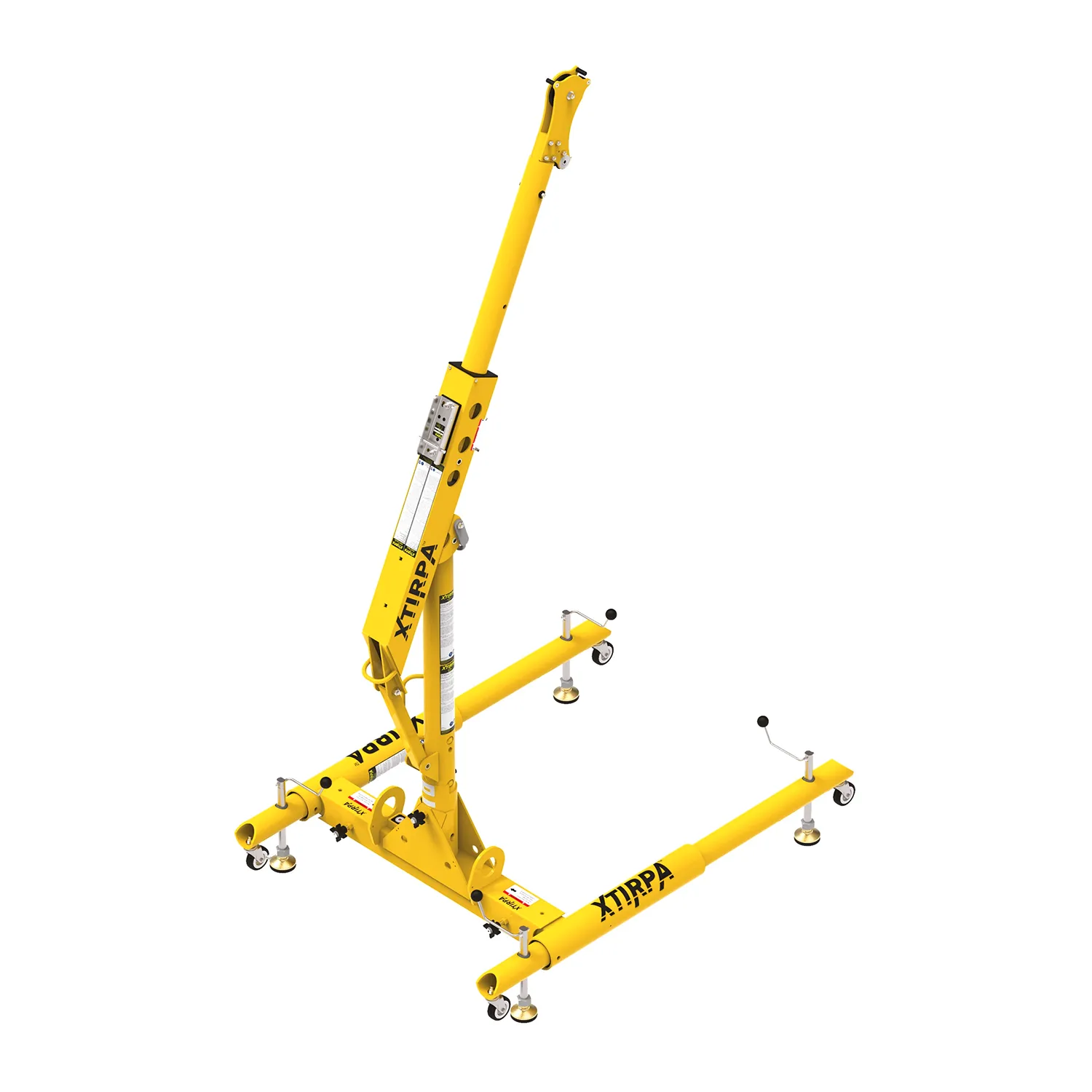
Mast, stem and H-base

24″ | 610 mm Davit arm with H base

IN-8004

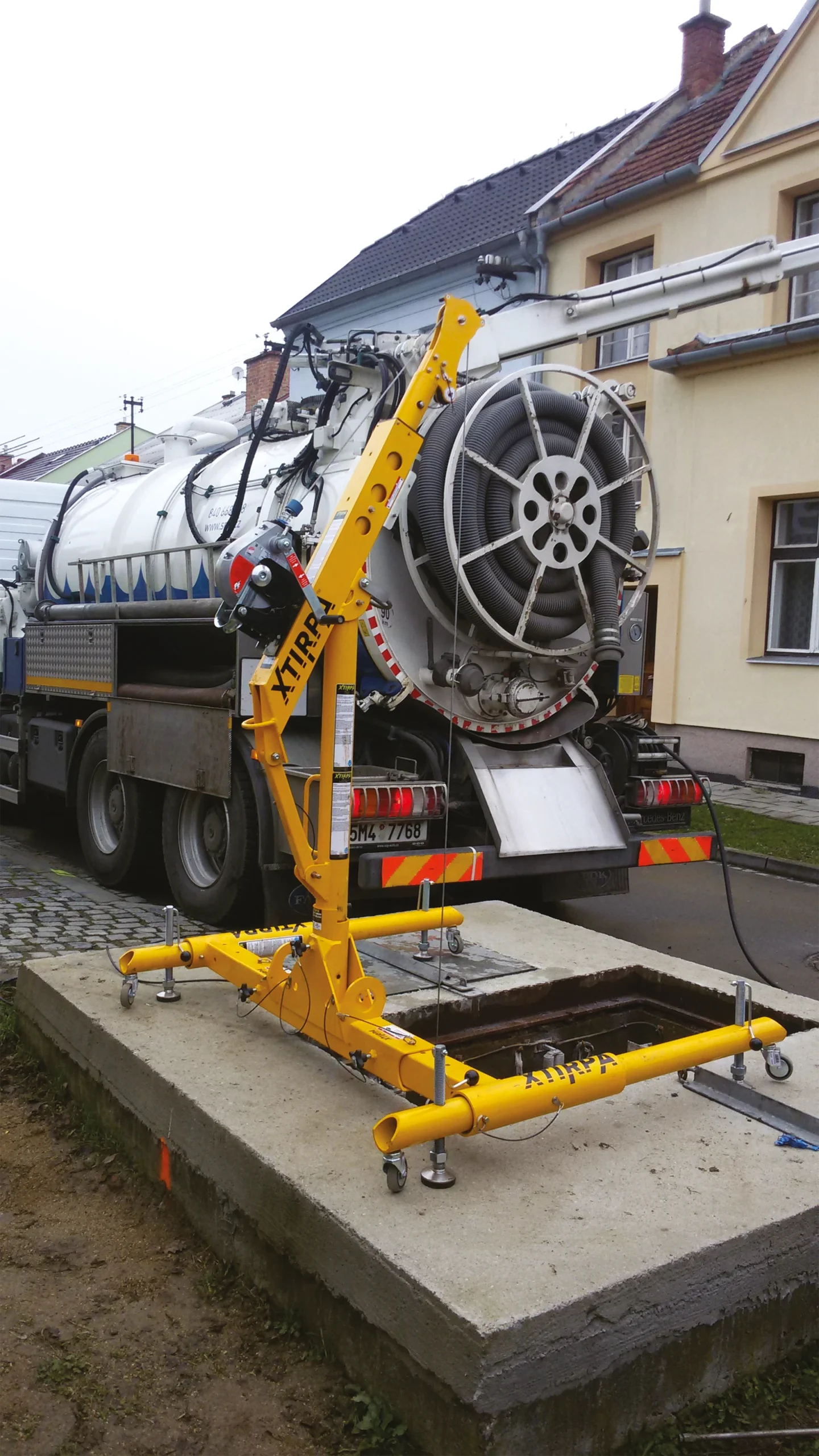
Mobile solution

The H-base is easy to move across flat, hard surfaces.

Adjustable

The width of the H-base can be adjusted depending on the size of the manhole.

Certified Anchorage

Complies with ANSI, OSHA, EN 795, and CEN/TS 16415 standards.

Intuitive operation

Tool-free assembly, secured with safety pins.

A Mobile and Modular Solution

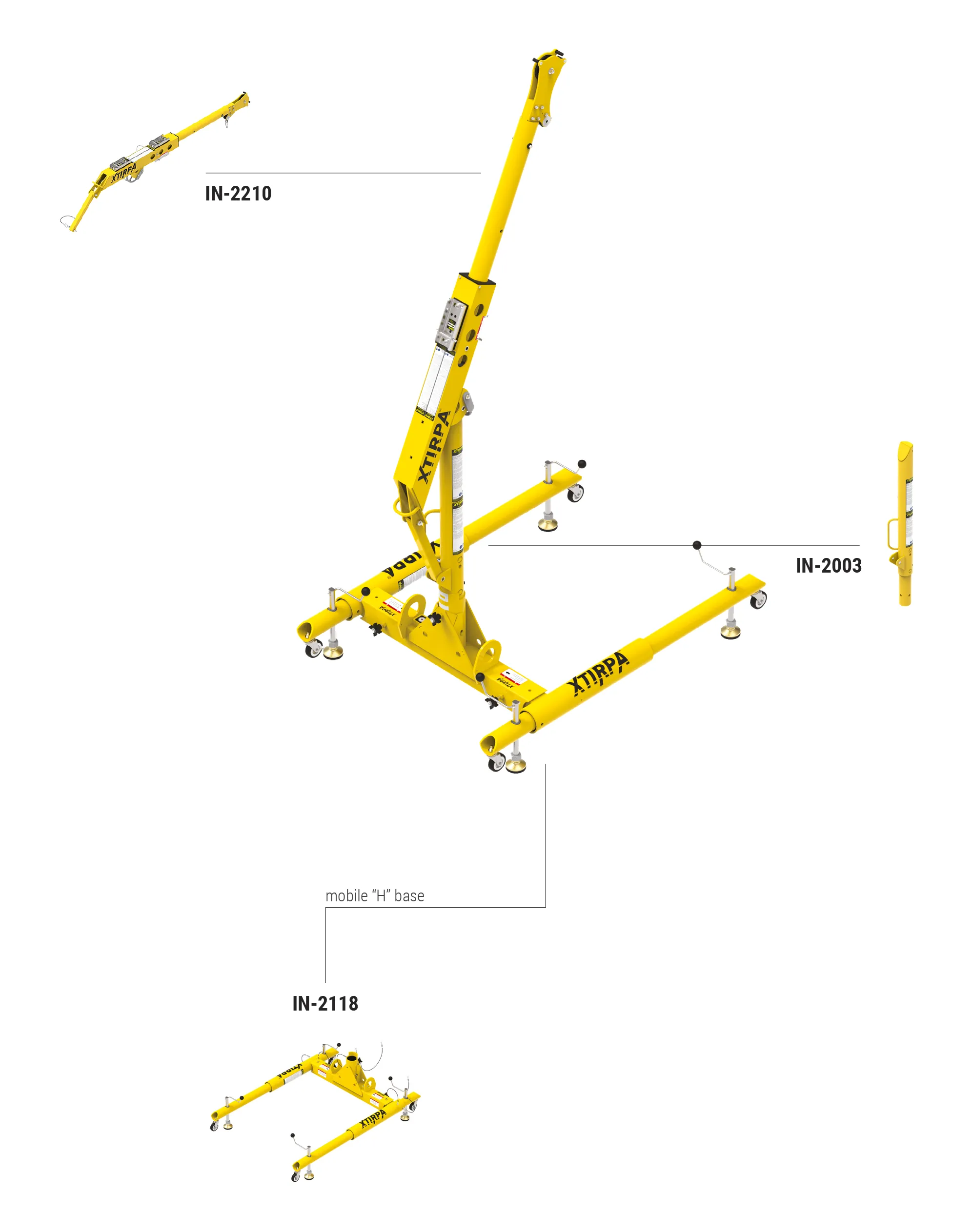
The IN-8004 system, also known as the “H-Base,” combines a mast, davit arm, and a mobile H-base designed to secure vertical openings in confined spaces. The IN-2210 davit arm with IN-2003 mast offers a reach of 381 to 610 mm and an adjustable working height between 1,993 and 2,413 mm. The H-base is width-adjustable up to 1,430 mm. It can also be fitted with a fixed davit arm (IN-2483).

Certified Safety for 2 Persons

The system has a minimum breaking strength of 16 kN and is certified according to ANSI, OSHA, CSA, and EN 795 standards. It supports a safe working load of 164 kg and is approved according to CEN/TS 16415 for securing two persons thanks to an independent 22 kN anchorage point.

Quick, Intuitive Installation and Movement

The system is installed in just a few minutes without the use of tools: the mast is mounted on the H-base, and the davit arm is locked onto the mast using safety pins.

SRL / Winch Compatibility

The IN-8004 is compatible with various winches, including the Xtirpa™ winch IN-2477. Multiple mounting brackets are available for a broad range of SRLs. The fixed davit arm IN-2483 includes an extra anchor point to attach a rope hoist or powered personnel winch.


Standards
ANSI Z359.1
AS/NZS 5532
CSA Z259.2.1
OSHA 1910.66
EN795 – Type B
TS 16415

Material
aluminum

Safe working load
164kg

Height-adjustable
from 2186mm to 2600mm high

Dimensions base in H
min: 1473 x 1093
max: 1473 x 1689

Weight
Stem arm: 16kg
Mast: 10 kg
H-base: 43kg

Assembly Scheme

3D & Augmented Reality

Utilisez votre souris ou vos doigts sur l’appareil pour faire pivoter et zoomer sur l’objet. Cliquez sur l’icône RA dans le coin supérieur droit pour entrer en mode Réalité Augmentée (appareil uniquement). Une fois chargé (soyez patient, le temps de chargement peut varier selon la vitesse de connexion), vous pouvez utiliser le bouton au centre en bas pour prendre des photos ou le maintenir enfoncé pour faire une vidéo. Un glissement à un doigt peut déplacer l’objet dans l’espace RA, un glissement à deux doigts fait pivoter l’objet dans l’espace RA.

Talk to an Expert

Choose your language

24″ | 610 mm Davit arm with H base